See real QA work before you hire.
Mia Calloway
Senior Automation Engineer, Web Test Automation
Recommended
Strong selectors, waits and isolation; found 2 of the 3 planted bugs.
86%Overall score
Integrity
Low risk
- Left the assessment once, for about 3 minutes
- Pasted nothing after coming back
AI usage
Worked independently
Asked QaBot, the built-in AI assistant, one quick question.
MiaHow do I run just one test file?
QaBotPass its name to the command: npx playwright test raise-within-stock.spec.ts
Scored on 7 criteria
The task: Playwright tests for a shopping-list feature with 4 requirements and 3 planted bugs.
All 4 requirements are checked by Mia’s 15 tests.
- Add a product to a list4 testsCovered
- Raise a quantity up to the stock available3 testsCovered
- Keep the quantity entered last, also after a reload7 testsCovered
- Delete a list1 testCovered
Requirements covered
All 4 requirements are checked by Mia’s 15 tests.
- Add a product to a list4 testsCovered
- Raise a quantity up to the stock available3 testsCovered
- Keep the quantity entered last, also after a reload7 testsCovered
- Delete a list1 testCovered
Reliable element identification
Mia’s locators find every button and menu the way a user sees them: by kind and label, never by position or styling.
Mia’s code · tests/support/lists.ts
this
this
this
Waits and page state
Mia’s tests wait until the page shows “All changes saved” before checking anything.
Mia’s code · tests/support/lists.ts
async open(): Promise<void> {
await this
await expect(
await this
Lines left out
async expectAllSaved(): Promise<void> {
await expect(
Data and test isolation
Each of Mia’s tests creates its own list and deletes it afterwards, even when the test fails.
Mia’s code · tests/support/lists.ts
const name = `QA ${testInfo.testId} ${Date.now()}`;
const listId = await listsApi
await use(
await listsApi
The test runs at use(…); the line after it runs even if the test fails.
Maintainability
Mia’s code is clear and well organized, but six near‑identical tests are written out one by one.
Mia’s code · tests/quantity-entered-last.spec.ts
await listsApi
await list
await list
await list
await list
await list
These steps are repeated in all six tests.
Test correctness and reliability
Mia’s tests catch real bugs, but in her RESULTS.md she blames three failures on the wrong cause, and she ran no check to confirm it.
Mia’s RESULTS.md
Cause of failures 1–3: hidden
The evaluation found the real cause: hidden
Bugs found
Mia’s tests found 2 of the 3 bugs planted in the application.
- Bug 1hiddenFound
- Bug 2hiddenFound
- Bug 3hiddenMissed
The scores and evidence come from a real evaluation of a simulated candidate’s work.
How it works
Tell us who you’re hiring
Choose the role, experience level, skills and tools. QAVetted builds the assessment for you.
Invite your candidates
Candidates complete the assessment online on their own, or in a Live Interview with your team.
Decide with evidence
AI scores the work, cites the evidence and recommends whether to hire. You decide who moves forward.
Candidates do real QA work
Candidates work on functioning software, with practical tasks matched to the role:
Write UI automation tests
Write API automation tests
Find and report bugs
Design test cases
Plus questions on technical knowledge and workplace judgment.
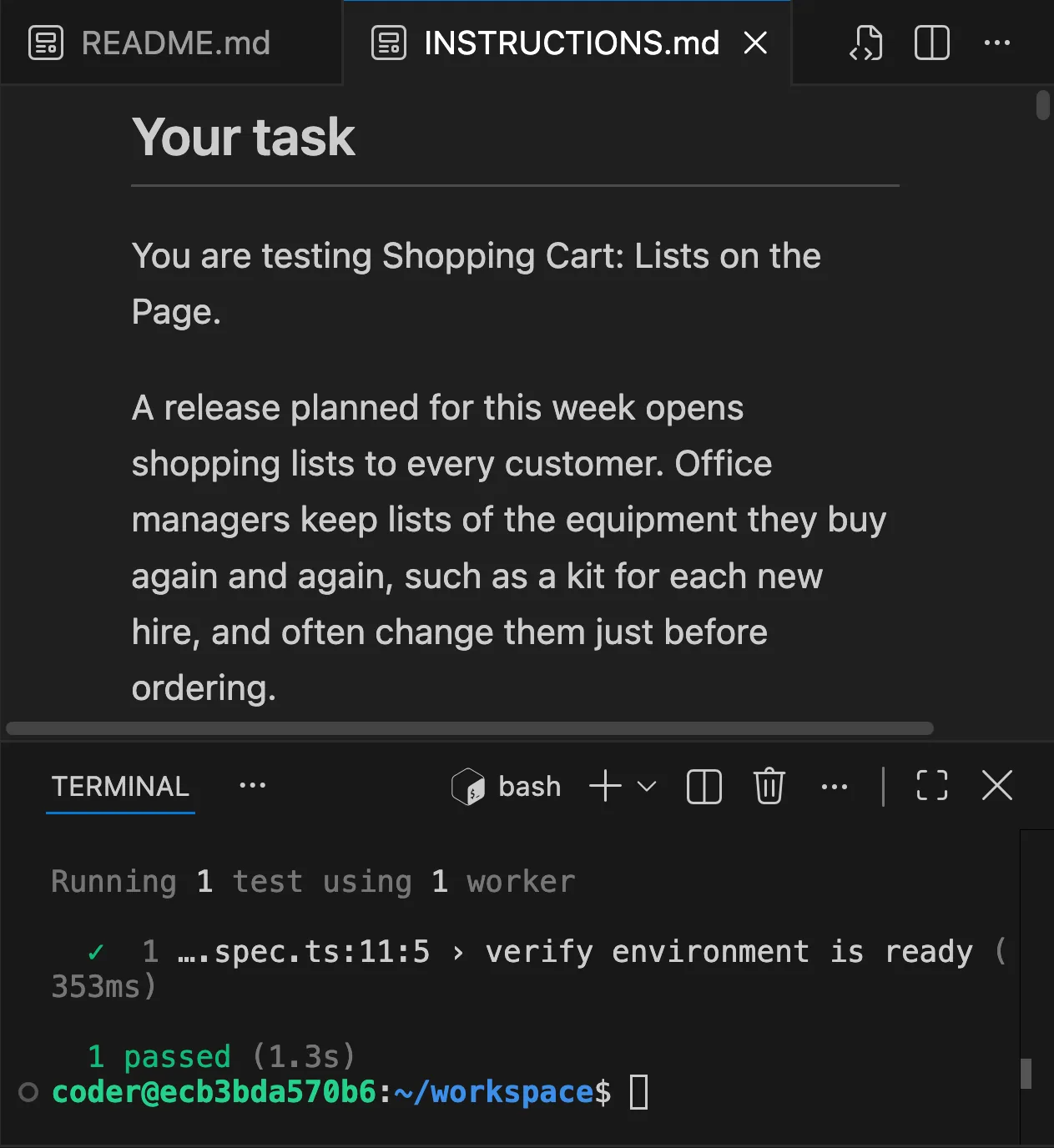
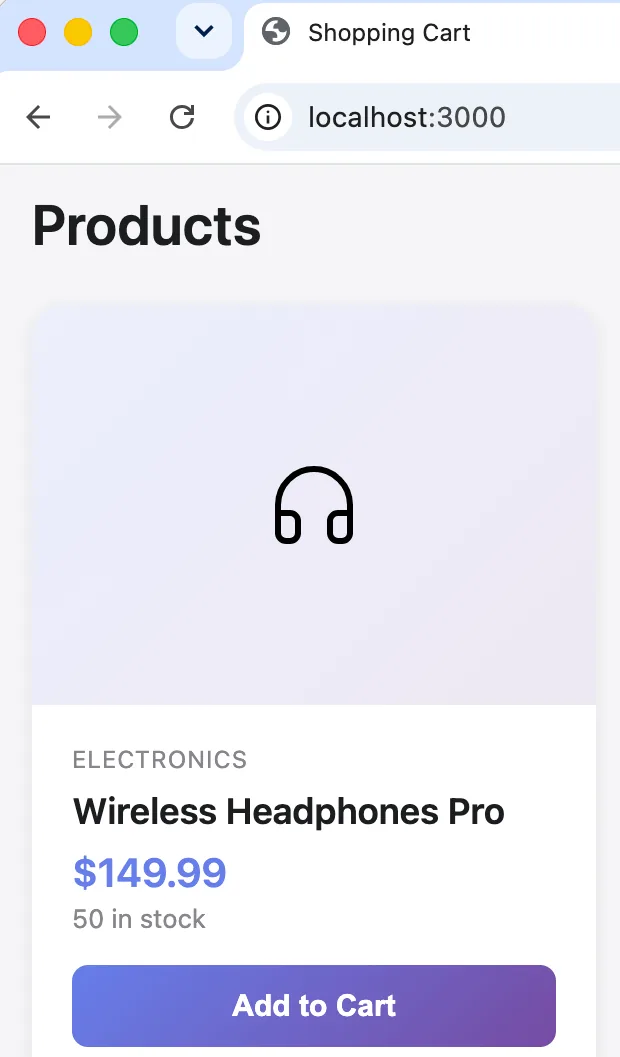
The IDE where candidates write tests, and the application they test. An assessment built for your role
QAVetted builds the assessment from your role requirements; you review it and invite candidates.
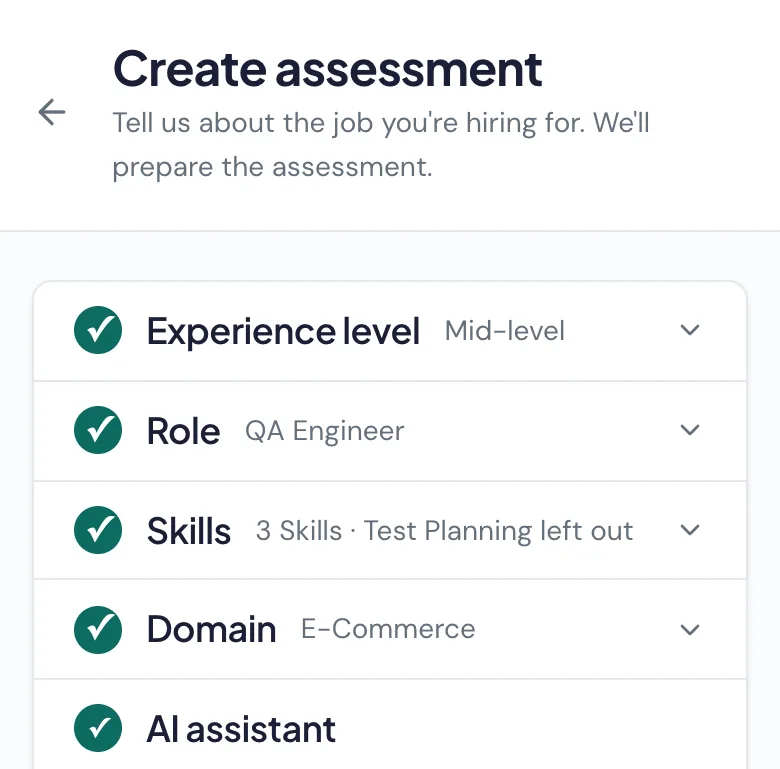
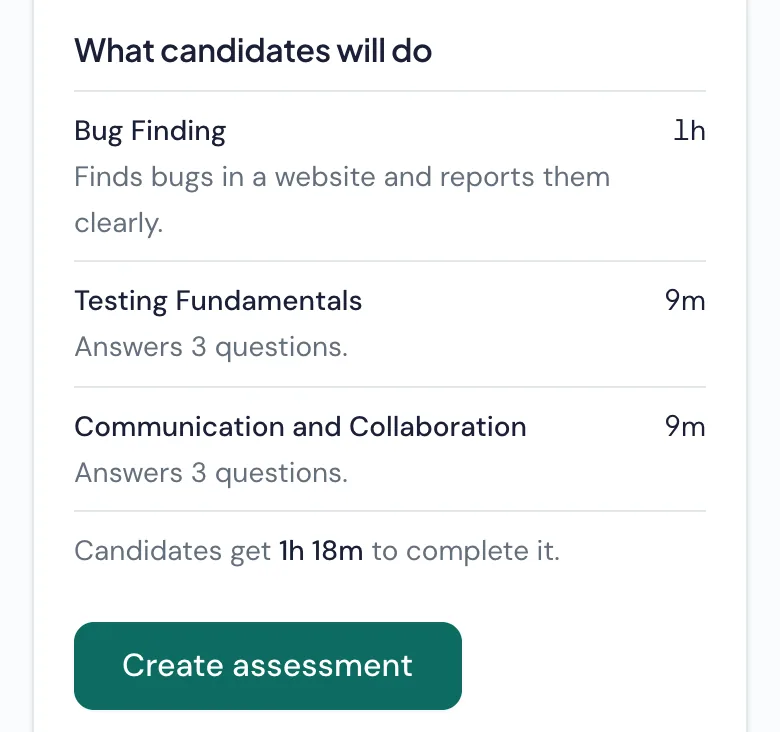
Interview in the candidate’s workspace
Join the candidate’s practical workspace, discuss their approach on your usual video call and keep private notes. Your team leads the interview; QAVetted evaluates the submitted work.
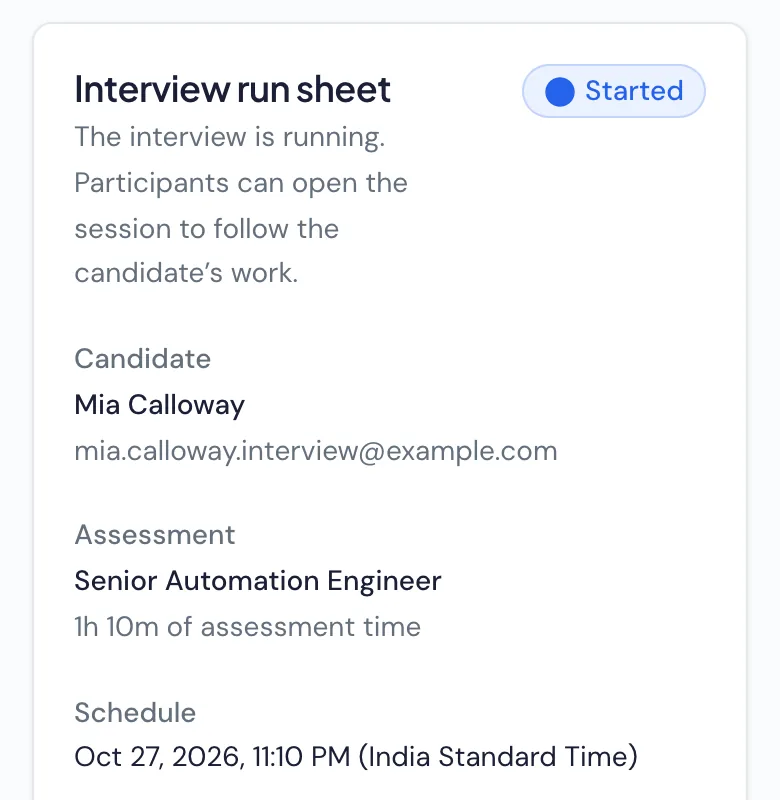
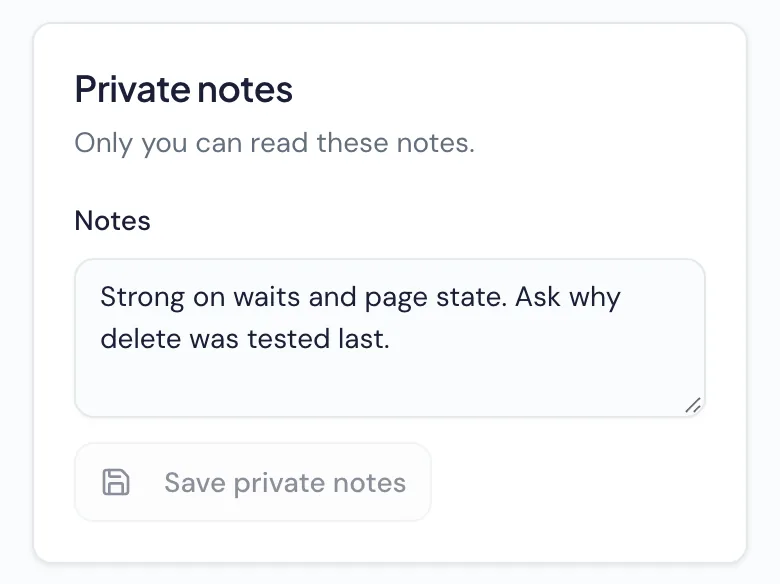


Assess the work without cameras or screen recording
What we collect
Assessment answers and submitted work
AI assistant conversations, when enabled
Tab switches, inactivity and pastes into the assessment’s editors
What we never collect
Camera or microphone recordings
Screen recordings
Keystrokes
This activity informs the report’s integrity level, for you to review. It never rejects a candidate on its own.
Questions, answered
What roles and levels can I hire for?
QA engineers, SDETs and automation engineers at junior, mid-level and senior levels.
Which tech stacks are supported?
Tests can be written in Java, JavaScript, TypeScript or Python. UI automation uses Playwright or Selenium, and API challenges use testing libraries for the selected language. Assessment setup shows the combinations available for your role.
What do candidates experience?
Everything runs in the browser. Candidates get working software for practical challenges, with a ready-to-use IDE for automation challenges, plus multiple-choice questions on technical knowledge and workplace judgment.
How long does a candidate spend?
It depends on the skills you choose: the Mid-level QA Engineer assessment shown above takes 1 hour 18 minutes. You see the assessment’s exact time limit before inviting anyone, and it is fixed once created.
How are assessments scored?
AI evaluates practical work against the assessment’s scoring criteria and explains each score with evidence from the submission. Technical knowledge and workplace judgment questions are marked correct or incorrect. You receive a hiring recommendation and make the final decision.
Can my team interview candidates live?
Yes. Start a Live Interview now or schedule it for later. Your team joins the candidate’s workspace and keeps private notes; QAVetted evaluates the submitted work automatically. Use your usual video-call tool for the conversation.
How does the AI assistant option work?
You choose whether to enable it for an assessment. Candidates can use it in practical challenges, not in questions. The report shows whether they worked independently, directed the assistant or relied on it, and you can read their conversations.
How do you flag possible cheating?
The report sums up tab switches, inactivity and pastes into the assessment’s editors as an integrity level, from No concerns to High risk, with the context for you to review. A raised level is a reason to look closer, not proof of cheating or an automatic rejection.
Who on my team sees results?
Admins and recruiters can review your organization’s assessments and results. Interviewers can access only the Live Interviews they participate in. Each interviewer’s notes stay private to them.
Can I compare candidates?
Yes. Review scores and recommendations in an assessment’s candidate list, then open a result for the supporting work. Live Interview results are kept separately under Interviews and are not included in online assessment rankings.
Is candidate and company data secure?
Each organization can access only its own data. Candidate workspaces are isolated and removed after the assessment; submitted work is kept for authorized review. Our Privacy Notice explains data use and retention.
Try QAVetted on your next QA hire
Assess candidates on real testing work and review their scores and evidence with your team.
- Private preview
- Free for 7 days
- 10 candidate attempts
- No card required